Advertisement
Click to download now, finish the installation quickly, and directly unlock the all-round experience
Advertisement
Screenshots
Click to download now, finish the installation quickly, and directly unlock the all-round experience
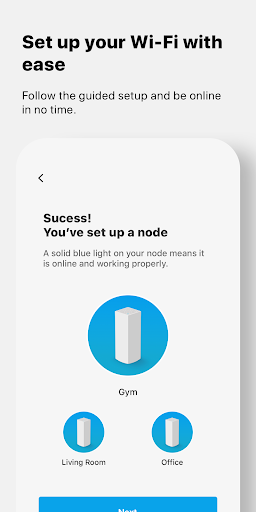
Linksys lets you manage compatible Velop systems and Linksys Smart WiFi routers from an Android phone. It suits people who want to check their home network or adjust access for household members and guests without using the router’s web interface. A Linksys product and an account connected to it are required; the app is not a general-purpose Wi-Fi manager for other router brands.
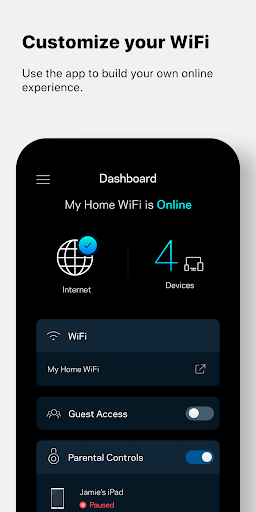
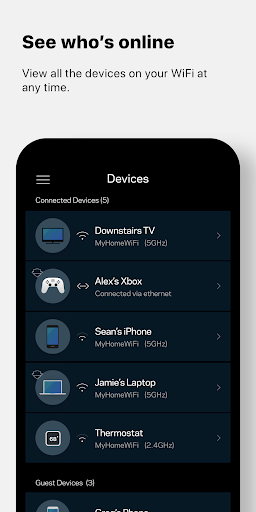
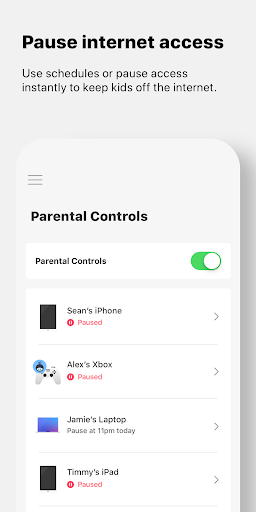
The dashboard brings network information together, including which devices are connected. You can set up guest access, prioritize selected devices, and pause internet access through parental controls. Prioritization may be useful when certain devices need more attention for activities such as streaming or online gaming. These controls are most relevant if you already manage your household’s Wi-Fi through a supported Linksys router.
The app supports remote access over an internet connection, so you can check or manage your network while away from home. Some security features, including Linksys Shield, depend on the product and service available to you. Compatibility is limited to supported Velop systems and Linksys Smart WiFi routers, so check that your model is included before relying on the app. The stated Android requirement is Android 9.0 or later.
Linksys has more than 5 million installs and a rating of about 3.25 from 74,290 ratings. That shows a large audience, but it does not tell you whether the app will suit your particular router, setup, or expectations. If you want phone-based controls for a compatible Linksys network, its device overview and access settings may be useful; if your router is unsupported, the app is unlikely to fit your needs.